Your own private AI, running in your Azure subscription in as little as 5 minutes.
A ready-to-run Marketplace image: open-weight LLMs, a private chat UI, and an honest model catalogue. Deploy, open the portal console, and the menu is waiting. Nothing leaves your VM. No SSH client needed.
Runs on x86 and Azure Cobalt (ARM64), two plans in one offer.

What DEPLOY NOW does
Pick a size below and one click opens the Azure portal with that template loaded: the Caleta LLM Appliance on a spot VM in your own subscription. The template builds the box, its network and the appliance image. You choose and serve a model from the menu once it is up.
Each size shows its all-in price and the region that is cheapest for it today. If the portal's size picker quotes a higher price, that is the pay-as-you-go rate; the template deploys spot, and the VM bills at the spot rate.
Deploys into your own Azure subscription. Nothing leaves it.
Honest numbers: 138 tokens/sec on a single A100, measured on this exact image and dated; unmeasured models say so.
Private by default: nothing is publicly reachable until you choose to expose it.
Isolated network at 10.42.0.0/16. Need it in your existing network? Contact us.
About spot: Azure sells this capacity cheap because it can reclaim it, and a reclaimed box stays off until you start it again (the menu's auto-restore then re-serves your model on boot). That makes spot ideal for evaluating models and for work you can pause. Need it always on? The same image deploys on pay-as-you-go at the same appliance fee, or talk to us about a resilient private AI service built for your environment.
Deploy the appliance, in one click
Every supported size has a ready-made template: the appliance, the network and the box, deployed into your own subscription. Pick a size, set the region it names, and deploy. You choose and serve a model from the menu once the box is up.
Pick a size
Set the region, then deploy
Cheapest spot region today: North Europe
Choose North Europe (northeurope) in the portal's Region field. Everything the template creates follows that one field, so there is nothing else to set. Any region works; this is the cheapest for this size in our spot data as of 2026-10-04. If you need the data in a particular country, pick that region instead and ignore the recommendation.
About $0.92/hour all-in on spot, on our measured spot figure for this size in North Europe: $0.81 for the VM plus $0.10 for the appliance, both on your Azure bill. The appliance fee is fixed per size and the same in every region; only the spot price moves.
Nothing to accept first. We tested a clean tenant on 17 August 2026: the deployment goes through without accepting Marketplace terms up front.
Two fields need you once the portal opens: a password, and your public IP address (from ifconfig.me) so the box is locked to you. Leave the rest as it is.
Deploying the appliance on NC24ads_A100_v4 in North Europe.
Opens the Azure portal with this template loaded. The template deploys a spot VM; if the portal's size picker quotes a higher price, that is the pay-as-you-go rate.
Up and running in minutes
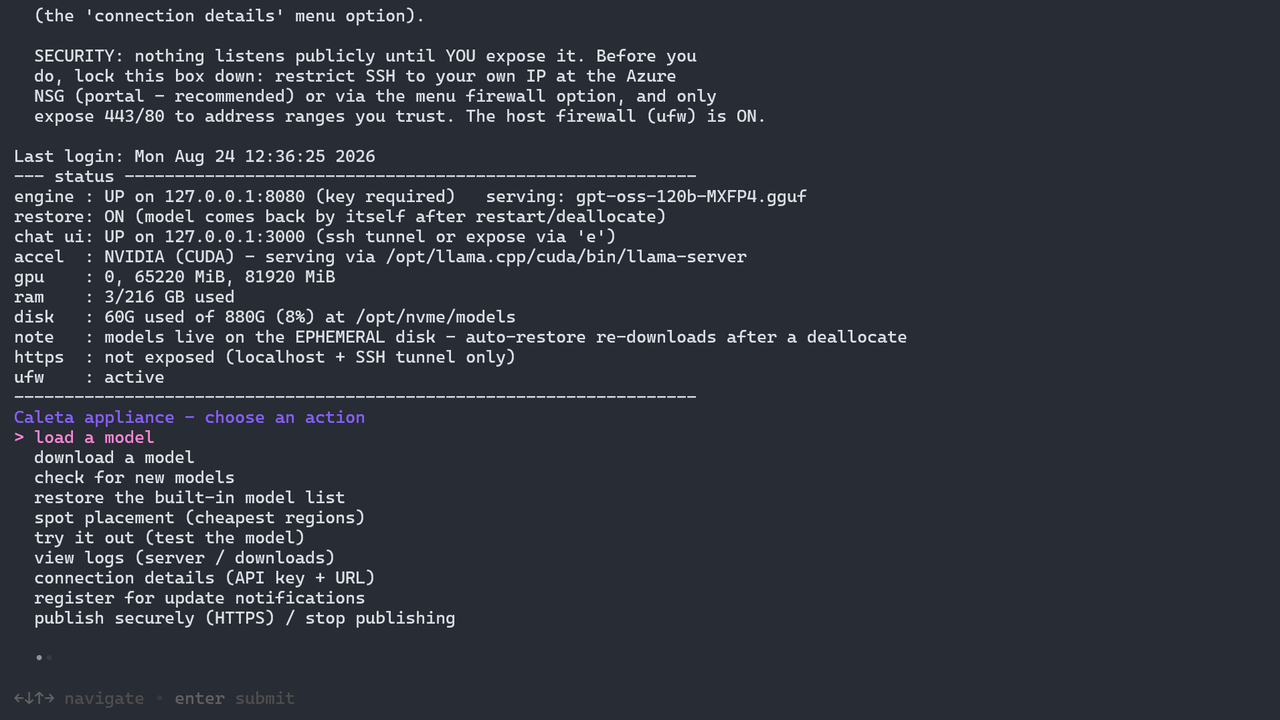
Pick a size, click DEPLOY NOW, choose a subscription and a new resource group, then fill in the only two fields that need you: a password, and your public IP address (get it from ifconfig.me) so the box is locked to you and nobody else. Leave everything else exactly as it is; deployment takes about a minute and a half. Then open the VM's Serial console in the Azure portal (under Help), sign in as azureuser, and the appliance menu is waiting: download a model, serve it, done.
No fixed address (on mobile, or behind a corporate network you cannot pin down)? Enter none in the IP field. The appliance then deploys with no inbound access at all, not reachable from the internet, and you manage it entirely from the serial console. You can add access for your address later in the portal. Note the field cannot be left empty; the deployment will fail validation.
Want the chat UI in a browser? One menu action (publish securely) gets a Let's Encrypt certificate for the box's built-in DNS name. No domain to buy, and it stays reachable only from the IP you supplied.
Deploying to spot? Check your quota first: the size you pick needs its full vCPU count as low-priority quota. How to request it. And ignore the price the portal's size picker shows: that is the pay-as-you-go rate, while the template deploys spot and the VM bills at the much lower spot rate. Azure can reclaim spot capacity; a reclaimed box stays off until you start it again, and with auto-restore switched on in the menu it re-serves your model on boot. Ideal for evaluation; for always-on service use pay-as-you-go, or ask us about Managed Private AI.
On a CPU size? On E64ads_v7 and Azure Cobalt E32ps_v6, loading a model we measured there on ik_llama.cpp asks which engine to use: ik_llama.cpp, which we measured faster on those sizes, or standard llama.cpp. Either works; the guide explains the difference.
Want a different VM size? Every supported size has its own one-click template: pick one and see the cheapest region for it. Or deploy from the Azure Marketplace listing instead. The full guide covers every step and setting in detail.
What you get
Up and running in as little as 5 minutes, including the model download
Deploy the VM, open its serial console in the Azure portal (no SSH client needed), and the llm menu is waiting. The trial model is chatting about 5 minutes from deploy on any size; even the 155 GB frontier models are serving in under 10 minutes on the recommended sizes (they have local NVMe). On sizes without a local disk, large models are limited by OS disk speed. No engine to build, no drivers to install, no config.
Fast model downloads, up to ~30 Gbit/s
Weights pull direct from Hugging Face over the accelerated network at up to about 30 Gbit/s, depending on the VM size, as larger sizes have faster NICs. The menu shows live GB and Gbit/s, and the peak on completion. Even models of many tens of GB land in minutes, not hours. Measured, not projected.
Everything is set up and ready to go
The inference engine (llama.cpp, plus ik_llama.cpp on the CPU sizes where we measured it faster), a private chat UI (Open WebUI), the Hugging Face downloader, automatic HTTPS (Caddy and Let’s Encrypt), a firewall and system monitors are all baked in. One image, four silicon families: NVIDIA (A100, H100 and Blackwell), AMD MI300X, x86 CPU and Azure Cobalt (Arm). It detects the hardware at boot and picks the right build.
Honest numbers, from our own lab
Where we publish a speed, we measured it ourselves on real Azure hardware, and the figure is dated. Where we have not measured a model yet, the catalogue says unmeasured rather than guessing. Serving uses the engine’s own defaults; where we measured a clear gain on a specific CPU size, the menu also offers a tuned second engine for that size. Our in-house Caleta Score, an infrastructure-as-code benchmark, covers quality where it has been run.
Sign in your way: portal console, Entra ID or SSH
Manage the box from the Azure portal serial console with a password and no SSH client at all, use Entra login for SSH so your MFA and conditional-access policies apply, or use a standard SSH key. Your choice.
A connected appliance, not a static box
Your appliance checks in with Caleta’s update channel for two things. Spot placement advice: the cheapest Azure regions for your VM size, with their eviction rates, refreshed daily, so you can run on spot with confidence. Update notifications: opt in with your email from the menu and we will tell you when a new measured model or a patched image version ships. The appliance never updates itself, so nothing changes on your box without your say. Both work without sending your data anywhere: the channel carries advice in, never your prompts out.
Every figure we publish was measured by us on this image, and unmeasured entries are marked. The supported sizes and a live map of where each one can be deployed are on VM sizes and regions, and every model with its dated speed is in the model catalogue.
CPU inference runs at single-user speeds. It genuinely works, and GPU sizes are the choice when you need throughput for several concurrent users.
A private chat UI, served on the box
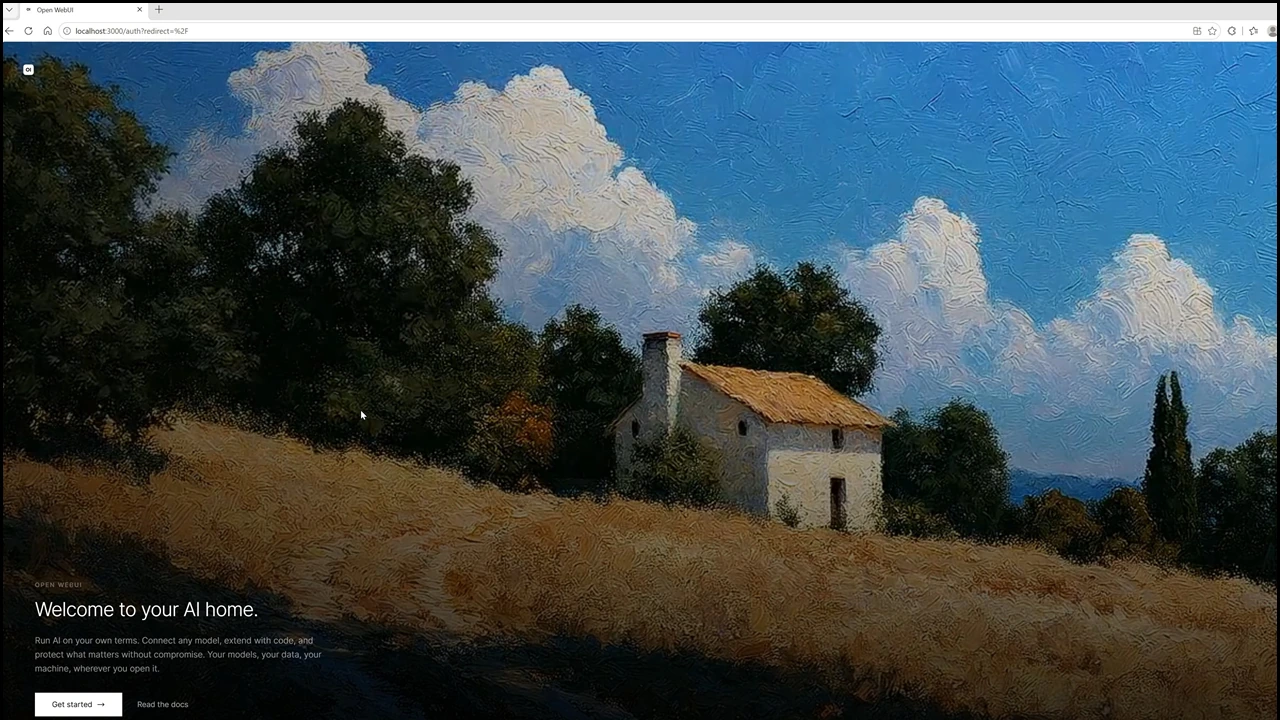
Open WebUI is built in and bound to loopback. Reach it over an SSH tunnel at localhost:3000, or publish it on HTTPS when the team needs it.
Runs on x86 and Azure Cobalt (ARM64)
Frontier open models on ARM CPU, no GPU required. Pick x86 or Azure Cobalt at deploy.
The same appliance experience (the llm menu, chat UI and tools) and the same security posture (Trusted Launch, loopback by default, Entra login, offline capable), just built for ARM.
Azure Cobalt is a CPU platform, so ARM figures are CPU inference at single-user speeds. GPU sizes on the x86 plan are the choice when you need throughput for several concurrent users. ARM has its own curated model list. See the ARM section of the guide for the measured catalogue and supported sizes.
Two lines on the Azure bill you already have
No contract with us, no per-token meter. You pay Azure for the VM at the spot rate, plus a small per-core appliance fee for the image. Both arrive on the Azure bill you already pay. Readings from 17 Aug 2026, all figures USD:
| Runs on | VM spot | Appliance fee | All-in per hour |
|---|---|---|---|
| D64pds Arm, Sweden Central | $0.578 | $0.115 | ≈ $0.69 |
| NC80 H100, East US | $2.58 | $0.44 | ≈ $3.02 |
| ND96 8x MI300X, France Central | $11.09 | $0.40 | ≈ $11.49 |
All three run roughly 80 to 82% under the on-demand rate. The appliance fee is fixed per size and the same in every region; only the spot price moves. Every measured pairing's all-in price is on the model catalogue.
Prices are readings, not quotes: spot moves, and the exact figure is on the deploy screen before you click Create. Spot is ideal for evaluation and work you can pause; for an always-on service, run the same image on pay-as-you-go, or ask us about Managed Private AI.
Your subscription, your data, your network
Fully secure, sovereign and trusted, by default rather than by configuration.
Trusted image
Deploys with Trusted Launch (Secure Boot and vTPM). Signed drivers, verified boot.
Sovereign
It runs in your subscription, on your VM. No inference data leaves the box. Once a model is downloaded the appliance serves fully offline: you can block all outbound traffic and it keeps working after a reboot.
Private by default
The chat UI and API bind to loopback only. Nothing is reachable from the network until you deliberately publish it. The host firewall is on out of the box.
No standing secret
The API key is minted fresh on every boot and never leaves the VM. No model weights are baked into the image; you download them under each model’s own licence.
Full detail is on the security page, the privacy policy (which sets out every outbound connection the appliance makes) and the terms of service.
From our lab
The benchmarks and write-ups behind the appliance.
Same Bandwidth, Very Different Speed: DeepSeek-V4-Flash on 30 Azure CPU VMs
One of the biggest CPU VMs on Azure wrote DeepSeek-V4-Flash at 7.1 tokens a second. One with half the bandwidth wrote it at 22.4. Thirty CPU sizes, two engines, price and time to answer.
The Box Came Back: Kimi-K3 and Qwen3.8-2.4T Measured on One Azure VM
After 68 refused deployments, the eight-card MI300X VM allocated first try on 18 September. Three hours and $35 later: Kimi-K3 at 14 tokens a second, Qwen3.8-2.4T at 22, the per-card log that shows why one request only uses half the box, and the context ceiling that kills a loaded model on its first token.
DeepSeek-V4-Flash on a $0.70/hour Azure CPU: Reading Went From 33 to 202 Tokens a Second
Same 145 GB DeepSeek model, same 96-core Arm VM, no GPU: prompt processing 33 to 202 tokens a second, reply 15 to 20. The change was the engine, plus a 21-line fix.
2.78 Trillion Parameters on a Single Azure VM
Kimi-K3 loaded onto one ND96is_MI300X_v5: 1,405 GiB of weights across eight cards, 92% of each, for about $11 an hour on spot. Here is what it took, what we measured, and the one thing standing between you and doing it yourself.
Get notified when the catalogue changes
Leave your email and we will tell you when the rankings or the model catalogue change.
Get the Caleta Private AI Appliance
One offer, two plans: x86 and Azure Cobalt (ARM64). Choose your plan and size at deploy.